This offer ended on Oct 12, 2026. Here is the closest offer available right now:

Is Hola VPN still available?
No. Hola VPN is closed and this page does not link to it. The closest current alternative is Hola VPN Free Download, shown above. You can also browse everything still open in Free apps.
What this offer was
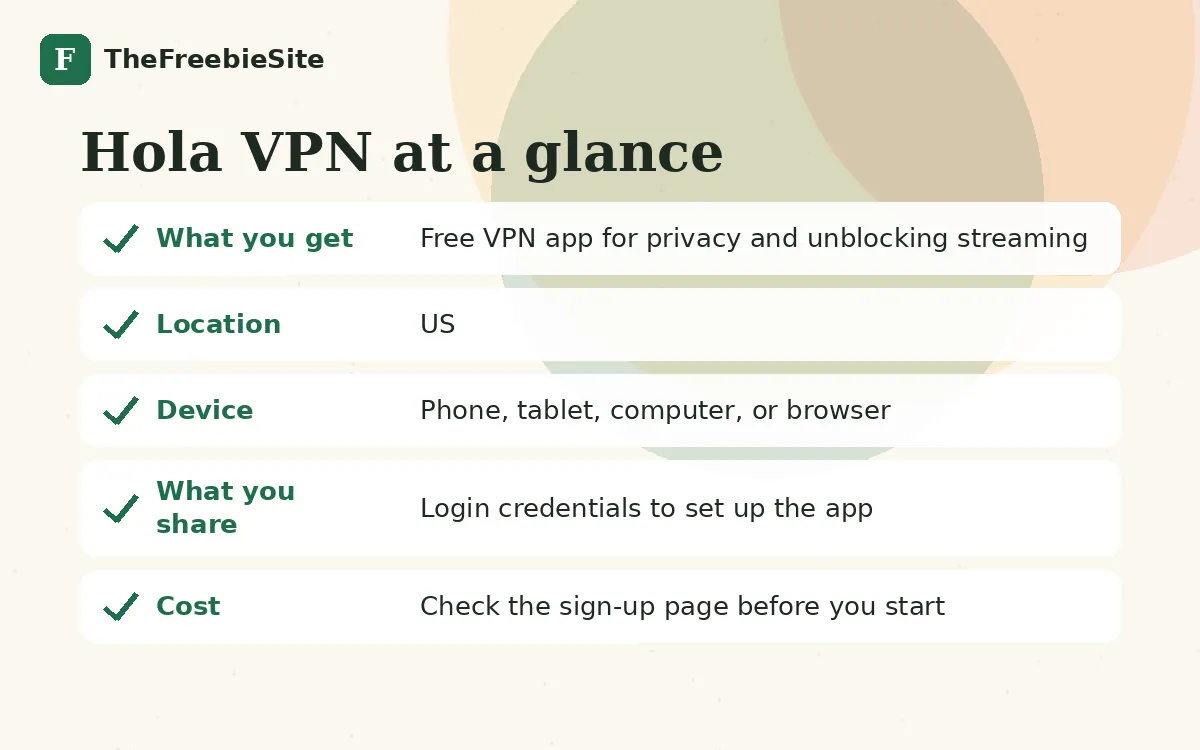
Hola VPN is a peer-to-peer proxy service run by an advertiser in our network. You download and install the app to access a VPN that unblocks streaming platforms and masks your location. This is a utility app, not a sweepstakes or money offer, so there is no prize drawing or cash reward.
Hola VPN is a free VPN and proxy service app, not a contest or rewards offer. It's run by an advertiser in our network and is designed to let you browse privately, mask your IP address, and unblock streaming content on multiple devices and browsers.
To get started, you visit the app store or landing page, download Hola VPN, and install it on your device. Once installed, you open the app and can begin using the VPN service right away. The app works on phones, tablets, computers, and browsers. Offers like this usually count as active once you install and open the app.
After installation, you can start using the VPN's peer-to-peer proxy network immediately. The app may send you notifications about features or updates. If you use a free tier, you may see prompts to upgrade to a paid plan. Typically, apps like this may also send occasional emails about new features, security updates, or special offers.
Before you download, check the app store listing and the developer's terms of service to understand what data the VPN collects and how it handles your traffic. Never share your login credentials or payment information outside the official app. You can disable notifications or unsubscribe from marketing emails directly within the app settings or through links in any emails you receive.
How signing up worked
- Visit the app store or Hola VPN landing page from a US device
- Download the Hola VPN app to your phone, tablet, or computer
- Install the app and complete any setup prompts
- Open the app and log in or create an account
- Begin using the VPN to browse and access blocked content
Who ran Hola VPN
Hola VPN is offered by an advertiser in our affiliate network. TheFreebieSite is not the operator; the advertiser's own terms apply.
FAQ
Is Hola VPN legit?
Hola VPN is a legitimate peer-to-peer proxy service app run by an advertiser in our network. It is designed to mask your IP, protect privacy, and unblock streaming content. However, always review the app store listing and the developer's terms of service before downloading to understand data practices and any paid upgrade costs.
Does Hola VPN cost anything?
The app is free to download and install. Apps like this typically offer a free tier but may prompt you to upgrade to a paid plan to unlock premium features or remove ads. Check the app store or landing page for details on what the free version offers.
How do I download a free VPN?
Go to your device's app store (Apple App Store or Google Play), search for Hola VPN, and tap the download button. Once installed, open the app, complete any login or setup steps, and you can start using the VPN service immediately.
What devices does Hola VPN work on?
Hola VPN works on phones, tablets, computers, and web browsers. This means you can protect your privacy and unblock content across multiple devices from a single account.
Offers you can still get